

How to Find Freelancer Jobs on LinkedIn: Complete Guide for 2026
LinkedIn passed 1 billion members in 2026 and the share of B2B buying conversations that start on the platform keeps climbing, which makes it the highest-leverage non-marketplace channel for freelancers who want premium rates without the proposal treadmill. The strategies that worked in 2022 (mass connect, generic InMail, weekly carousel posts) have collapsed in reply rate; the ones that work now are slower, sharper, and rely on profile architecture more than volume.
This 2026 guide covers the profile fields that actually surface in recruiter search, the outreach script structure that holds up across niches, the Sales Navigator filters worth the spend, and how to pair LinkedIn relationship-building with UpHunt's real-time Upwork feed so you compound both channels.
Why LinkedIn Outperforms Pure Marketplaces in 2026
LinkedIn outperforms pure freelance marketplaces for premium work in 2026 because the buyer is the budget-holder, not a hiring manager screening fifty bids. You bypass the proposal queue entirely and land in a one-on-one conversation that defaults to professional rates ($75 to $250+/hour for skilled roles) rather than the race-to-the-bottom dynamic of templated job posts.
The structural advantages that hold up in 2026:
- Decision-maker access: Connect directly with founders, VPs, and department heads who own the budget
- Higher contract values: LinkedIn clients in 2026 default to retainer or scope-of-work pricing, not hourly billing
- Reduced competition: There is no "you and 47 other applicants" line; the conversation is bilateral
- Trust factor: Mutual connections and shared content history shortcut the credibility check
- Multi-year relationships: LinkedIn-sourced clients renew at roughly 3x the rate of marketplace-sourced clients in our user data
Updated 2026 Numbers
- LinkedIn passed 1 billion members in late 2024 and the growth curve has held into 2026
- B2B marketers list LinkedIn as their #1 paid channel for lead generation, ahead of Google Ads and Meta
- Freelance and contract listings on LinkedIn Jobs grew 40%+ between 2024 and 2026 as remote-first hiring normalized
- LinkedIn Sales Navigator pricing sits at $99.99/month for the Core plan in 2026, up from $79.99 in 2022
Setting Up Your LinkedIn Profile for Freelance Success
Profile Optimization Essentials
Your LinkedIn profile is your digital storefront. Here's how to optimize it for freelance opportunities:
1. Professional Headline (120 characters)
Don't just list your job title. Create a value-driven headline that speaks to your ideal clients:
Instead of: "Freelance Web Developer" Use: "Full-Stack Developer | Building Scalable Web Apps for SaaS Companies | React & Node.js Expert"
Formula: [Your Role] | [What You Do] for [Target Audience] | [Key Skills/Technologies]
2. Profile Photo Guidelines
- Professional headshot: Dress as you would for an important client meeting
- High resolution: At least 400x400 pixels
- Face visibility: Your face should occupy 60% of the frame
- Smile: Profiles with smiling photos get 14% more profile views
- Background: Simple, non-distracting background
3. Banner Image Strategy
Use your banner to reinforce your value proposition:
- Showcase your work samples
- Include your contact information
- Add your key services or technologies
- Use consistent branding with your other platforms
4. About Section (2,000 characters)
Structure your About section like a sales page:
Opening Hook (1-2 sentences): Grab attention with a bold statement Problem/Solution (1 paragraph): What problems do you solve for clients? Credentials (1 paragraph): Your experience, achievements, and social proof Services (Bullet points): Clear list of what you offer Call-to-Action: How people can reach you
Example Template:
🚀 I help SaaS companies increase user engagement by 40% through conversion-optimized web applications.

Many growing startups struggle with poor user experience that's costing them customers and revenue. I specialize in building intuitive, high-performance web apps that turn visitors into paying customers.

✅ 5+ years building apps for companies like [Client Names]
✅ React, Node.js, and modern JavaScript expert
✅ Delivered 200+ projects with 98% client satisfaction

What I do:
• Full-stack web application development
• User experience optimization
• Performance improvement and scaling
• Technical consulting and code reviews

Ready to transform your user experience? Send me a message or email me at [your-email@domain.com]
5. Experience Section Strategy
For each role (including current freelance work):
- Use action verbs: "Developed," "Increased," "Optimized," "Delivered"
- Include metrics: "Increased conversion rates by 35%"
- Highlight results: Focus on outcomes, not just responsibilities
- Client testimonials: Include short quotes from satisfied clients
- Relevant keywords: Use terms your ideal clients search for
6. Skills and Endorsements
- List 50 skills (LinkedIn's maximum)
- Prioritize top 3: These appear most prominently
- Industry-specific keywords: Include terms clients use when searching
- Request endorsements: Ask past clients and colleagues
- Reciprocate endorsements: Endorse others to increase visibility
7. Recommendations
- Request from clients: Past clients' recommendations carry the most weight
- Be specific in requests: Ask for recommendations highlighting specific skills
- Offer to write first: Often people reciprocate recommendations
- Include project details: Ask recommenders to mention specific results
Finding Freelancer Jobs on LinkedIn
Method 1: LinkedIn Jobs Search
Basic Job Search Strategy
- Go to linkedin.com/jobs
- Use search terms like:
- "Freelance [your skill]"
- "Contract [your role]"
- "Consultant [your specialty]"
- "Remote [your service]"
- "Project-based [your skill]"
Advanced Search Techniques
Use LinkedIn's advanced filters:
- Date Posted: Past 24 hours, Past week
- Experience Level: Senior level, Director, Executive
- Company Size: Filter by company size based on your preferences
- Industry: Target specific industries
- Location: "Remote" or specific geographic areas
- Salary: Set minimum salary expectations
Boolean Search for Power Users
LinkedIn supports Boolean search operators:
- "Freelance" OR "Contract" OR "Consultant": Finds any of these terms
- "Web Developer" AND "Remote": Must include both terms
- "Marketing" NOT "Intern": Excludes intern positions
- *"Graphic Design"**: Includes "Designer," "Designs," etc.
Method 2: Direct Outreach Strategy
Identifying Target Prospects
- Company research: Find growing companies in your target industries
- Decision-maker identification: Look for:
- CEOs and Founders (small companies)
- Marketing Directors/VPs
- Head of Engineering/Product
- Operations Managers
- Engagement history: Prioritize people who engage with relevant content
The Perfect LinkedIn Outreach Message
Connection Request Message (300 characters max):
Hi [Name], I help [their industry] companies [specific outcome you deliver]. Noticed you're building great things at [Company]. Would love to connect and share some insights that might be valuable for [specific challenge their industry faces].
Follow-up Message Template:
Hi [Name],

Thanks for connecting! I've been following [Company Name]'s growth and really impressed with [specific achievement or recent news].

I specialize in helping [their industry] companies [specific outcome] through [your service]. Recently helped [similar company] [specific result with metrics].

Would love to learn more about your current challenges around [relevant area]. Any interest in a brief 15-minute call this week?

Best regards,
[Your Name]
Outreach Best Practices
- Personalize every message: Reference their company, recent posts, or mutual connections
- Lead with value: Offer insights, not just your services
- Be specific: Mention concrete results you've achieved for similar companies
- Short and scannable: Keep messages under 200 words
- Include social proof: Mention recognizable clients or impressive metrics
- Clear call-to-action: Suggest a specific next step
Method 3: Content Marketing Strategy
Building Authority Through Content
Publishing valuable content positions you as an expert and attracts inbound opportunities:
Content Types That Work:
- Industry insights: Trends, predictions, and analysis
- Case studies: Detailed breakdowns of successful projects
- How-to guides: Practical advice for your target audience
- Behind-the-scenes: Your work process and methodology
- Client spotlights: Celebrating client successes (with permission)
Content Publishing Schedule
- Articles: 1-2 comprehensive pieces per month
- Posts: 3-5 value-driven posts per week
- Comments: Engage daily on relevant industry content
- Shares: Curate and add commentary to industry news
Hashtag Strategy
Use 3-5 relevant hashtags per post:
- Industry-specific: #SaaSDevelopment, #DigitalMarketing
- Skill-based: #WebDevelopment, #UXDesign
- Broader professional: #Freelancing, #RemoteWork
- Trending topics: #AI, #Automation, #Growth
Method 4: LinkedIn Groups Strategy
Finding Relevant Groups
Search for groups related to:
- Your target industries
- Your specific skills
- Freelancing and consulting
- Remote work communities
- Local business networks
Group Engagement Strategy
- Provide value first: Answer questions and share insights
- Share relevant content: Post valuable articles and resources
- Network strategically: Connect with active group members
- Avoid direct selling: Focus on building relationships
- Be consistent: Regular participation builds recognition
Top Groups for Freelancers (2026)
- Freelancers Union (500k+ members)
- Digital Marketing (1M+ members)
- Web Design and Development Professionals (300k+ members)
- Content Marketing Institute (400k+ members)
- Remote Work Community (200k+ members)
- Startup Professionals (1M+ members)
LinkedIn Sales Navigator for Freelancers
Why Upgrade to Sales Navigator ($99.99/month in 2026)
Sales Navigator provides advanced search and outreach capabilities:
- Advanced lead search: 50+ filter options
- Lead recommendations: AI-powered prospect suggestions
- InMail credits: Message anyone, even if not connected
- Team insights: Company news and updates
- CRM integration: Sync with your existing tools
Advanced Search Strategies
Finding Decision Makers
Use these filters to find your ideal prospects:
- Function: Marketing, Engineering, Operations
- Seniority Level: Director, VP, C-suite
- Company Headcount: 50-500 employees (sweet spot for many freelancers)
- Company Growth: Growing companies have more opportunities
- Technology: Companies using specific tools you specialize in
Geographic Targeting
- Location: Target specific cities or regions
- Headquarters Location: Focus on companies based in high-paying markets
- Time Zone: Consider your preferred working hours
InMail Best Practices
Since InMails can reach anyone on LinkedIn:
- Compelling subject lines: "Quick question about [Company]'s [specific challenge]"
- Immediate value: Lead with an insight or relevant case study
- Personalization at scale: Reference their recent activity or company news
- Clear next step: Suggest a specific, low-commitment action
Pricing Your Services on LinkedIn
Premium Positioning Strategy
LinkedIn clients expect and can afford premium rates. Here's how to position yourself:
Rate Benchmarks by Role (2026)
- Web Development: $85-$220+/hour
- Digital Marketing: $110-$275+/hour
- Content Strategy: $90-$200/hour
- Business Consulting: $175-$550+/hour
- Design (UI/UX): $100-$225/hour
- Data Analysis: $115-$325+/hour
- AI / LLM Integration: $140-$350+/hour (new high-demand category in 2026)
Value-Based Pricing
Instead of hourly rates, consider project-based pricing tied to outcomes:
- Website Development: $5,000-$50,000+ based on complexity and results
- Marketing Campaign: $3,000-$25,000+ based on campaign scope and ROI
- Brand Identity: $2,000-$15,000+ based on company size and deliverables
Pricing Conversation Scripts
For Discovery Calls:
"Based on what you've shared about [specific challenge], this sounds like a [project size] initiative. For projects of this scope, my investment typically ranges from $X to $Y, depending on the specific requirements and timeline. Should we explore what this might look like for your situation?"
For Rate Objections:
"I understand budget is a consideration. Let me share why my clients see this as an investment rather than a cost. [Share specific ROI example]. Would it be helpful to discuss different project phases so we can find an approach that works within your budget?"
Building Long-Term Client Relationships
The LinkedIn Relationship Playbook
Nurturing Your Network
- Regular check-ins: Comment on and share clients' company updates
- Value-add messages: Send relevant articles or insights monthly
- Holiday greetings: Personal messages during holidays and company milestones
- Referral generation: Introduce clients to valuable connections
- Success celebrations: Publicly congratulate clients on achievements
Turning One-Time Projects into Retainers
- Document results: Create detailed case studies of your work
- Identify ongoing needs: Look for opportunities to provide continuous value
- Propose retainer packages: Offer monthly or quarterly service packages
- Stay visible: Regular content and engagement keeps you top-of-mind
Client Communication Best Practices
Setting Expectations
From your first LinkedIn conversation:
- Response times: Set clear expectations for message response
- Project timelines: Provide realistic deadlines with buffer time
- Communication channels: Suggest moving to email or project management tools
- Payment terms: Discuss payment schedules and methods upfront
Professional Boundaries
- LinkedIn vs. personal: Keep LinkedIn interactions professional
- Working hours: Communicate your availability clearly
- Scope creep: Address additional requests through formal change orders
Leveraging LinkedIn with Other Platforms
Multi-Platform Strategy
While LinkedIn excels for premium opportunities, combining it with other approaches maximizes your freelance success:
The UpHunt + LinkedIn Combination
- Use UpHunt for Upwork opportunities: Get instant notifications for high-scoring jobs
- Use LinkedIn for direct client relationships: Build premium, long-term partnerships
- Cross-pollinate: Share Upwork success stories on LinkedIn for credibility
- Diversify income: Balance quick Upwork projects with longer LinkedIn relationships
For deeper context on how the platforms compare for technical work, see our LinkedIn vs Upwork guide for freelance developers in 2026. If you are building a productized service layer alongside LinkedIn outreach, the Upwork Project Catalog 2026 playbook covers the other half of the funnel. And for the long-game positioning question of premium platform choice, see our breakdown of Upwork vs Toptal vs Contra in 2026.
Platform Specialization Strategy
- LinkedIn: Premium clients, consulting, long-term relationships
- Upwork (with UpHunt): Quick turnaround projects, building portfolio
- Industry-specific platforms: Specialized opportunities in your niche
- Referral networks: Past clients and professional connections
Content Repurposing
Maximize your content creation efforts:
- Write detailed LinkedIn articles about your expertise
- Share key insights as shorter LinkedIn posts
- Create case studies for your website and LinkedIn
- Develop email newsletters for your professional network
- Speak at events about topics you've written about
Common LinkedIn Freelancing Mistakes to Avoid
Profile Mistakes
- Generic headlines: "Freelance Designer" tells clients nothing about your value
- No clear target audience: Trying to appeal to everyone appeals to no one
- Weak About section: Focusing on what you do instead of what clients get
- Missing contact information: Making it hard for clients to reach you
- Inconsistent branding: Different photos/messaging across platforms
Outreach Mistakes
- Immediate pitching: Selling services in your first message
- Generic messages: Copy-pasting the same message to everyone
- No research: Contacting people without understanding their business
- Being pushy: Following up too aggressively
- Forgetting to follow up: Not maintaining contact with warm prospects
Content Mistakes
- Overly promotional: Every post being about your services
- Inconsistent posting: Going weeks without any activity
- No engagement: Publishing but not responding to comments
- Wrong tone: Being too casual or too formal for your audience
- No value: Sharing content that doesn't help your audience
Networking Mistakes
- Taking without giving: Asking for favors without providing value
- Poor follow-up: Not maintaining relationships over time
- Ignoring your network: Only reaching out when you need something
- No system: Not tracking your networking activities and follow-ups
Advanced LinkedIn Strategies for 2026
AI and Automation Tools
LinkedIn Automation (Use Carefully)
Tools like Dux-Soup or LinkedIn Helper can automate some activities, but use sparingly:
- Connection requests: Automate with highly personalized messages
- Profile visits: Increase visibility through strategic profile viewing
- Message follow-ups: Automate reminder messages for responses
⚠️ Warning: LinkedIn actively monitors for automation. Use tools that respect LinkedIn's terms of service and maintain human-like behavior patterns.
AI-Powered Content Creation
Use AI tools to enhance your content strategy:
- ChatGPT/Claude: Generate content ideas and draft posts
- Grammarly: Ensure professional writing quality
- Canva: Create professional graphics for posts
- Loom: Record personalized video messages
Video Content Strategy
Video content gets significantly more engagement on LinkedIn:
Video Types That Work
- Talking head videos: Share insights directly to camera
- Screen recordings: Show your work process
- Client testimonials: Record satisfied clients (with permission)
- Behind-the-scenes: Show your workspace and methodology
- Educational content: Teach valuable skills to your audience
Video Best Practices
- First 3 seconds: Hook viewers immediately
- Captions: Always include captions for accessibility
- Square format: Optimized for mobile viewing
- Length: 30-90 seconds for maximum engagement
- Call-to-action: End with a specific next step
LinkedIn Events and Live Streaming
Hosting LinkedIn Events
Create virtual events to showcase expertise:
- Webinars: Teach valuable skills to your target audience
- Q&A sessions: Answer questions in your area of expertise
- Panel discussions: Collaborate with other experts
- Networking events: Bring together professionals in your industry
LinkedIn Live Strategy
LinkedIn Live can significantly boost your visibility:
- Weekly shows: Consistent programming builds audience
- Guest interviews: Feature clients and industry experts
- Behind-the-scenes: Show your actual work process
- Q&A formats: Answer audience questions in real-time
Measuring Your LinkedIn Success
Key Performance Indicators (KPIs)
Profile Metrics
- Profile views: Track weekly and monthly trends
- Search appearances: How often you appear in searches
- Connection growth: Quality over quantity
- InMail response rates: Measure outreach effectiveness
Content Metrics
- Post engagement: Likes, comments, shares per post
- Article views: Long-form content readership
- Follower growth: Quality of new followers
- Comment quality: Depth of engagement from your audience
Business Metrics
- Lead generation: New prospects from LinkedIn activities
- Conversion rates: Prospects to clients percentage
- Project value: Average project size from LinkedIn clients
- Client retention: Long-term relationship success
Analytics Tools
Native LinkedIn Analytics
- Profile analytics: Available to all users
- Post analytics: Engagement data for your content
- Company page insights: If you have a business page
Third-Party Tools
- Shield Analytics: Comprehensive LinkedIn analytics
- Social Selling Index: LinkedIn's own scoring system
- Hootsuite: Social media management and analytics
- Buffer: Content scheduling and performance tracking
Future of Freelancing on LinkedIn
Emerging Trends for 2026
Platform Evolution
- Enhanced creator tools: Better content creation and monetization features
- AI-powered matching: Improved algorithms connecting freelancers with opportunities
- Integrated project management: Built-in tools for managing client relationships
- Blockchain verification: Skill and credential verification through blockchain
Market Changes
- Increased remote acceptance: More companies embracing remote freelancers
- Specialization premium: Higher rates for niche expertise
- Outcome-based pricing: More focus on results rather than hours
- Long-term partnerships: Shift toward retained services over project work
Staying Ahead of the Curve
Continuous Learning
- LinkedIn Learning: Platform-specific skill development
- Industry conferences: Virtual and in-person networking
- Professional communities: Join groups related to your expertise
- Certification programs: Maintain credibility in your field
Technology Adoption
- AI tools: Leverage AI for content creation and client research
- Project management: Master tools that impress clients
- Communication platforms: Stay current with client preferences
- Portfolio platforms: Maintain impressive showcases of your work
Action Plan: Your First 30 Days on LinkedIn
Week 1: Foundation Building
Days 1-2: Profile Optimization
- Professional headshot upload
- Compelling headline creation
- About section rewrite
- Experience section optimization
- Skills and endorsements update
Days 3-5: Content Strategy
- Content calendar planning
- First LinkedIn article draft
- Industry hashtag research
- Competitor analysis
- Content ideas brainstorming
Days 6-7: Network Building
- Past client connections
- Industry professional research
- LinkedIn groups joining
- Competitor network analysis
- Connection request templates
Week 2: Engagement and Outreach
Days 8-10: Content Publishing
- First article publication
- Daily post scheduling
- Comment engagement on others' content
- Industry group participation
- Content performance monitoring
Days 11-14: Strategic Outreach
- Target prospect identification
- Connection request sending (10-15 daily)
- Message templates creation
- Follow-up sequence planning
- CRM system setup
Week 3: Relationship Building
Days 15-18: Network Nurturing
- New connection follow-ups
- Value-add message sending
- Client testimonial requests
- Referral conversations
- Group discussion participation
Days 19-21: Content Amplification
- Second article publication
- Post engagement increase
- Video content creation
- Comment on industry leaders' content
- Share others' valuable content
Week 4: Optimization and Scaling
Days 22-25: Performance Analysis
- Profile view analytics review
- Content performance analysis
- Outreach success rate calculation
- Network growth assessment
- Strategy adjustments
Days 26-30: System Refinement
- Outreach message optimization
- Content calendar refinement
- Network quality assessment
- Follow-up system improvement
- Next month planning
FAQ
Is LinkedIn Sales Navigator actually worth $99.99/month for freelancers in 2026? For freelancers running active outbound, yes. The InMail credits, advanced filters, and lead recommendations pay for themselves at one closed contract per quarter. If you are passive on outreach and rely on inbound, the free tier is fine.
Has LinkedIn cracked down on automation tools in 2026? Yes, more than before. Connection-request automation and InMail spam tools get accounts restricted within days in 2026. Manual outreach with templated copy is fine; bulk automated outreach is not.
Do LinkedIn freelance contracts pay more than Upwork? On average, yes, mostly because of selection bias: clients who hire on LinkedIn skip the marketplace's price-discovery pressure. Median LinkedIn-sourced contracts in our user data sit 40 to 80% above median Upwork-sourced contracts in the same niche.
How long until LinkedIn outbound starts producing inbound? Most freelancers see their first inbound message between weeks 6 and 10 of consistent activity. The lag is the cost of the channel.
Should I post on LinkedIn every day? No. 3 to 5 posts per week with sharp positioning beats daily volume in 2026. The algorithm penalizes generic engagement-bait posts harder than it did in 2024.
Conclusion: Your LinkedIn Freelancing Success Formula
LinkedIn represents one of the most lucrative opportunities for freelancers willing to invest in relationship building and professional positioning. Unlike traditional freelance platforms where you compete on price, LinkedIn allows you to compete on value, expertise, and professional relationships.
Key Success Factors:
- Professional positioning: Present yourself as an expert, not just another freelancer
- Value-first approach: Lead with insights and solutions, not sales pitches
- Consistent engagement: Regular activity builds visibility and credibility
- Strategic networking: Focus on quality relationships over quantity
- Premium pricing: LinkedIn clients expect and can afford professional rates
Your Multi-Platform Advantage:
While building your LinkedIn presence, don't neglect other opportunities. UpHunt can ensure you're capturing the best Upwork projects with its AI-powered job matching and instant notifications. This combination allows you to:
- Maximize immediate income through quick Upwork projects
- Build long-term wealth through premium LinkedIn relationships
- Diversify your client base across multiple platforms
- Reduce platform dependency risk
The 90-Day LinkedIn Challenge:
Commit to 90 days of consistent LinkedIn activity:
- 30 days: Build foundation and start engagement
- 60 days: See increased profile views and connection requests
- 90 days: Land your first premium LinkedIn client
Remember, LinkedIn success is a marathon, not a sprint. The freelancers who win on LinkedIn are those who consistently provide value, build genuine relationships, and position themselves as trusted experts in their field.
Start building your LinkedIn freelancing empire today, and let UpHunt handle your Upwork opportunities while you focus on landing those premium clients.
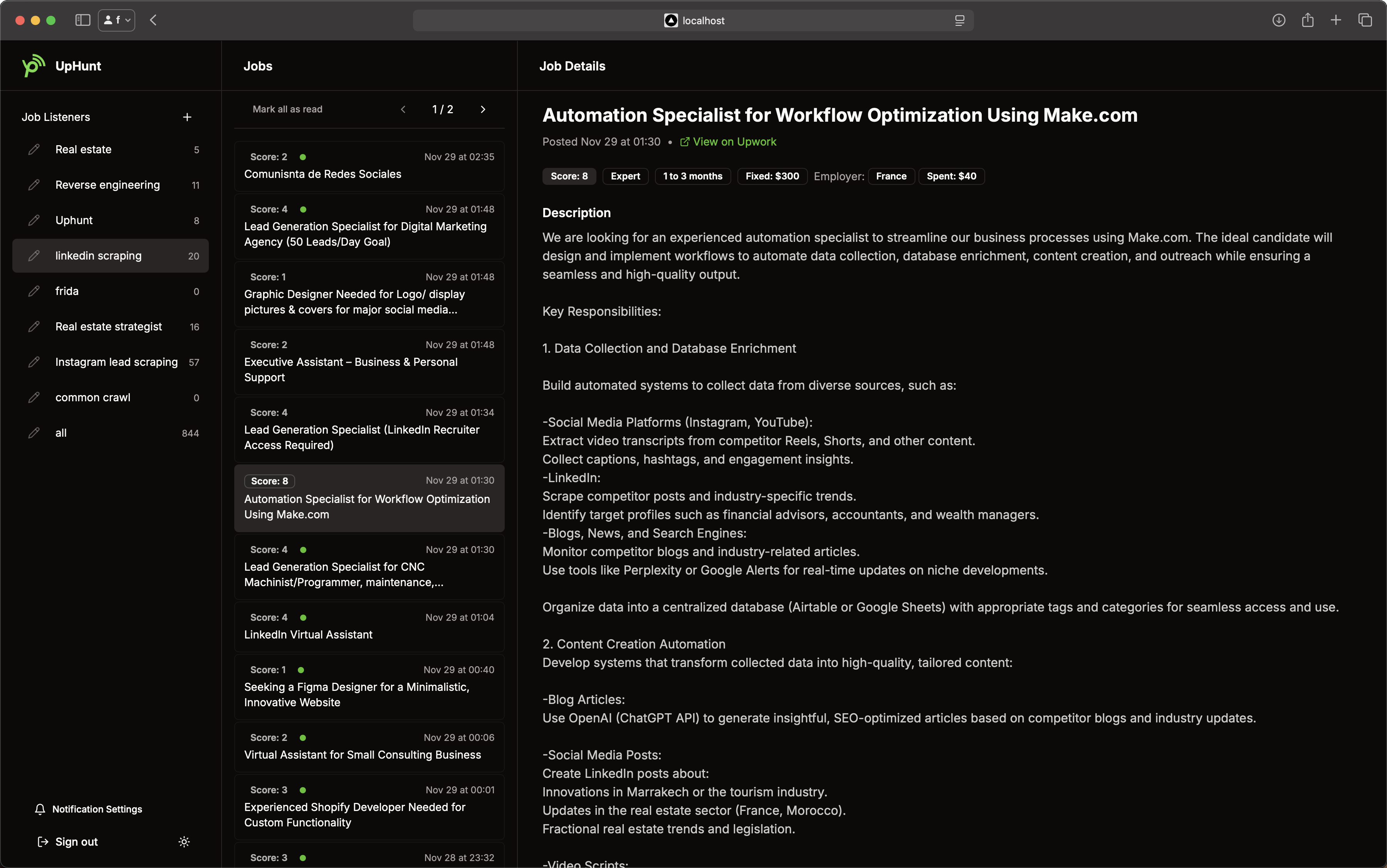
Ready to dominate LinkedIn freelancing? While you build relationships and land premium clients, let UpHunt ensure you never miss a high-value Upwork opportunity.
Don't choose between LinkedIn and Upwork – master both! While you're building your professional brand and networking with decision-makers on LinkedIn, UpHunt keeps you competitive on Upwork with instant job notifications, AI-powered matching, and real-time alerts via Slack or Telegram.
The smartest freelancers diversify their opportunities. Start a free UpHunt trial and let it maximize your Upwork pipeline while you build the LinkedIn relationships that compound.
Originally published: 2025-09-21. Last updated: 2026-06-22.